
Table of Contents
- What Is 3D Laser Engraving and How Does It Create Photo Quality
- How to Choose a Photo for 3D Laser Engraving Success
- Best Photo Resolution for 3D Crystal Engraving
- Factors Affecting 3D Laser Engraving Clarity and Depth
- Technical File Preparation for Optimal Results
- Customization, Pricing, and Timeline Expectations
- Troubleshooting Common 3D Laser Engraving Flaws
- Frequently Asked Questions
Last Updated: October 2, 2026
What Is 3D Laser Engraving and How Does It Create Photo Quality
3D laser engraved photo quality represents a sophisticated fusion of laser precision and optical physics that transforms two-dimensional photographs into three-dimensional artwork suspended within crystal. Unlike standard surface engraving, this process uses sub-surface laser engraving to carve images deep within the material, creating the illusion of depth through light refraction and volumetric conversion.
The technology works by using 256 levels of gray to vary laser power, allowing the beam to create precise depth mapping throughout the crystal 3D laser engraving technical process. Each point of the image is converted into a specific laser intensity, which determines how deep the laser penetrates the material. This creates a three-dimensional point cloud effect, thousands of tiny dots at varying depths that, when viewed together, form a photorealistic image.
This technology transforms personal photographs into elegant keepsakes that capture not just the image, but the emotion behind it. The optical clarity of K9 optical crystal combined with precision laser focal point control creates what many describe as a mesmerizing floating effect inside the crystal.
What makes this process different from printing or traditional engraving is the permanence and depth. The image isn't on the surface, it's carved inside the material itself. This means your cherished memory won't fade, peel, or wear away. The refractive index of the crystal itself becomes part of the artwork, bending light through the engraved areas to reveal the image from different angles.
How to Choose a Photo for 3D Laser Engraving Success
The single most important factor in achieving high-quality 3D laser engraved photo results is selecting the right photograph. Not every photo works equally well for this process, image composition, contrast, and subject isolation dramatically affect the final depth mapping and engraving fidelity.
Portrait Composition and Subject Isolation
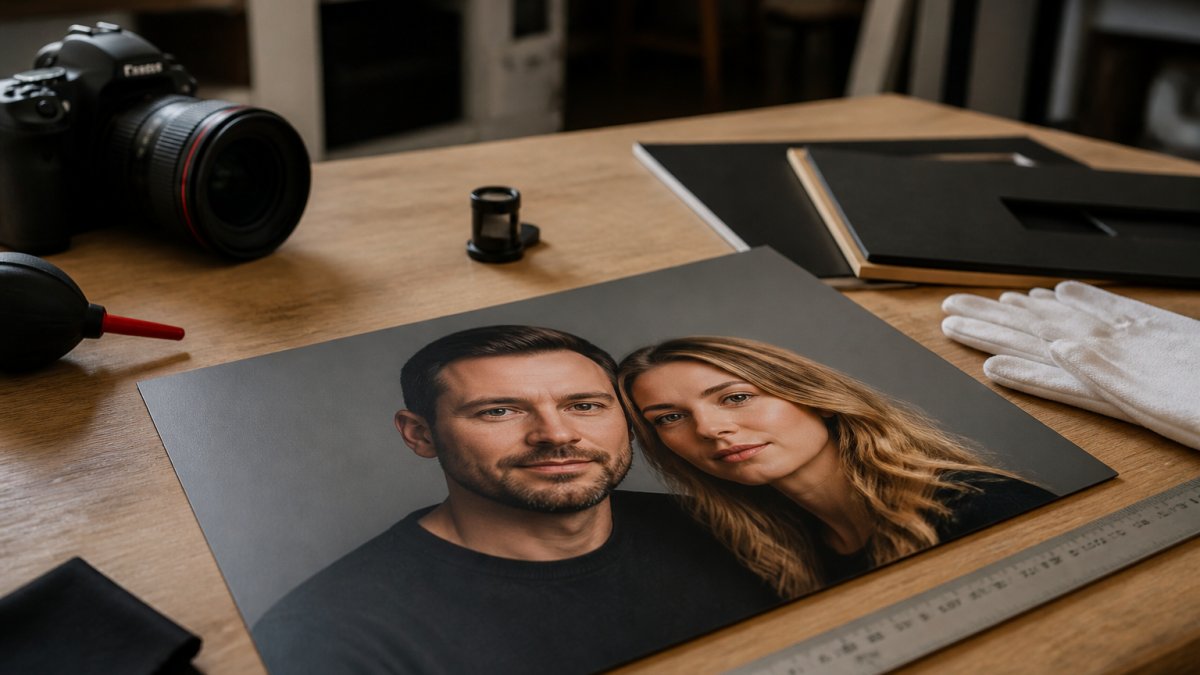
The best photos for 3D crystal engraving contain 1-3 people with clear, well-lit facial features. Close-up portraits work significantly better than full-body shots or group photos because the laser's precision captures fine details, eyes, smile lines, facial contours, that create the photorealistic quality customers expect.

Subject isolation matters tremendously. When your subject stands out clearly from the background, the laser engraving software can more accurately convert the image into a point cloud. High-resolution portraits with minimal distractions allow the laser to focus its 256 gray levels on rendering facial features rather than wasting precision on background clutter.
Avoid photos where the subject blends into the background or where lighting creates shadows that obscure facial details. A wedding photo where the bride's white dress merges into a white building will produce a muddy, indistinct engraving. A candid shot with harsh shadows across the face will create an unflattering 3D rendering.
Background Removal and Image Contrast
The contrast between your subject and the background is the second critical element. High-contrast images, where the subject is noticeably darker or lighter than what's behind them, engrave with sharper detail and cleaner lines. Low-contrast images, where the subject and background have similar tones, produce softer, less defined results.
This is where background removal becomes valuable. Removing or significantly lightening the background before submission improves engraving fidelity substantially. Many customers see a noticeable quality jump when they provide a photo with the background already cleaned up compared to a busy original.
Lighting matters equally. Photos taken in soft, directional light (window light, studio lighting) produce better results than images shot in flat, even lighting or harsh direct sunlight. Soft lighting reveals the contours of the face and creates the subtle shadows that translate into depth in the 3D engraving.
Best Photo Resolution for 3D Crystal Engraving
Industry guidelines recommend using high-resolution images of at least 300 DPI with clear focus, good lighting, and minimal backgrounds photo quality standards for 3D crystal engraving. This specification ensures the laser has sufficient pixel density to accurately convert your photograph into a three-dimensional point cloud.
A 300 DPI image provides enough data for the laser engraving software to resolve fine details, the texture of skin, individual strands of hair, the sparkle in someone's eye. Below 300 DPI, the image becomes pixelated during conversion, and the final engraving loses sharpness and photorealistic quality.
File format matters too. Submit your photo as a high-quality JPEG or PNG. Avoid compressed or low-quality versions. The software needs to read every available pixel to create accurate depth mapping. A compressed file loses information that can't be recovered during engraving.
Many customers make the mistake of submitting a photo that's technically high resolution but was heavily edited or filtered. Filters that add grain, blur, or artificial effects confuse the conversion software. Stick with clean, natural photos without heavy editing for best results.
3D Crystal Cube - Custom Photo Engraving →
Factors Affecting 3D Laser Engraving Clarity and Depth
Multiple technical factors work together to determine the final quality of your 3D laser engraved photo. Understanding these helps explain why two identical photographs can produce different results depending on how they're processed and what crystal is used.
Optical Clarity and Material Grade
The grade of crystal used directly impacts the final image quality. Premium K9 optical crystal produces clearer, more vibrant engravings than lower-grade glass. Lower-grade crystal can develop cloudiness or yellowing over time, which degrades the visibility of the engraved image material quality impact on laser engraving.
Optical clarity determines how light passes through the crystal and illuminates the engraved areas. High-clarity crystal allows light to penetrate deeply and refract through the engraved point cloud, making the image appear to float. Cloudy or yellowed crystal scatters light unevenly, creating a dull or washed-out appearance.
This is why premium products command higher prices. The difference between a $29 crystal cube and a $49 crystal heart at Engraved-N-Time isn't just size, it's material grade and the resulting optical performance.
Laser Precision and Engraving Depth Mapping
Modern laser equipment uses high-precision scanning and photography to achieve error rates of less than 3 mm laser precision standards in 3D modeling. This accuracy ensures that the depth mapping, the conversion of your 2D photograph into 3D coordinates, maintains fidelity throughout the engraving process.
The laser's focal point precision determines how sharply it can carve at various depths. A well-calibrated laser maintains consistent power and focus across the entire crystal, creating uniform depth and clarity. A poorly calibrated system produces uneven engraving where some areas are sharp and others are soft.
Standard 50mm x 50mm x 80mm crystal engraving typically takes approximately 3 hours using standard high-detail settings production timeline for custom 3D photo crystals. This extended time allows the laser to make multiple passes at varying depths, building up the 3D effect gradually. Faster engraving times often sacrifice depth and detail quality.
Technical File Preparation for Optimal Results
Before your photograph reaches the laser, it must be converted into a format the engraving software understands. This conversion process, sometimes called volumetric conversion or 3D point cloud generation, is where many quality issues originate.
The software analyzes your 2D photograph and assigns depth values to each pixel based on brightness. Darker areas become deeper in the crystal; lighter areas remain closer to the surface. This is why contrast and lighting matter so much. A well-lit, high-contrast photo provides clear signals for depth assignment. A flat, low-contrast photo produces ambiguous depth data.
Modern workflows increasingly use 3D generative AI to automate the conversion of photographs into point cloud STL files AI-powered photo to 3D model conversion.
Customization, Pricing, and Timeline Expectations
3D laser engraved photo crystals range from simple 2x2x2 inch cubes starting at $29 to premium pieces like our Crystal Hearts at $49 and specialty designs like the Nubble Lighthouse at $49. The price reflects not just size but material grade, engraving complexity, and included features like lighted bases.

Troubleshooting Common 3D Laser Engraving Flaws
Even with perfect photographs and premium materials, issues sometimes occur. Understanding what causes common problems helps you either prevent them or know when to request a remake.
Frequently Asked Questions
What makes a photo suitable for 3D laser engraving?
The best photos for 3D laser engraving are high-resolution portraits (300 DPI minimum) with clear focus, good lighting, and minimal background. Close-up images of 1-3 people work best because they allow the laser to capture fine facial details. Avoid photos with poor contrast, blurry subjects, or cluttered backgrounds, as these don't translate well into the point-of-light rendering used in subsurface laser engraving. High image contrast ensures the laser can properly map depth and create photorealistic detail within the crystal.
How does image contrast affect 3D laser engraving quality?
Image contrast is critical because the laser uses variations in brightness to determine engraving depth. High-contrast images allow the laser to distinguish between light and shadow, creating sharper facial features and more defined depth mapping. Low-contrast photos result in flat, muddy engravings where details blur together. If your photo has poor contrast, consider enhancing it before submission, brighten highlights, deepen shadows, and ensure the subject stands out clearly from the background. This directly impacts the final photorealistic quality of your 3D crystal.
How long does 3D laser engraving typically take?
Production times vary based on crystal size, engraving complexity, and the laser settings used. If you have a specific deadline, confirm timelines before ordering to ensure your personalized keepsake arrives when you need it.
What is the difference between 2D and 3D laser engraving for photos?
2D laser engraving creates a flat image on the crystal surface, similar to a photograph printed on glass. 3D laser engraving uses sub-surface laser technology to carve depth within the crystal, creating a volumetric conversion of your photo. This means the image appears to float inside the material with realistic dimension and shadow. 3D engraving captures facial features, lighting, and detail in a way that mimics the original photograph's depth. The result is a bespoke, photorealistic keepsake rather than a simple surface etching. 3D engraving requires higher-resolution images and more precise file preparation but delivers superior visual impact.